Pages that you should consider
Website content is the client’s decision, and the information below has been written to encourage you to be mindful of the content your website might require. Some information is a legal requirement: this is not our specialist area, so you must seek legal guidance, as we cannot advise you in any capacity. We have collated links to sources when we found information that appears to be relevant and credible as they may assist you in your work, but the information on this page should not be considered a guide – the onus is on you to check what information is required on your site and to create/add/amend the content. As the ‘site owners, ’ the responsibility lies with you.
Cookie Policy
Where should the policy be, and in what format?
It is expected that the policy will be a webpage on your site.
Where can users find it?
Users will be able to find this information in two places: via the cookie widget and a link in the website’s footer (bottom of the page). Footer links open on the same page.
What is the cookie widget?
The widget shows a panel that slides out from the left the first time you visit the site so you can make choices about the cookies you consent to and click the link to read the policy. After making a choice, it is found in the bottom left corner as a ‘C’, and you can click it to amend the choices at any time.
The cookie widget must link to a page on your site, so during the build, we attach a generic one about cookies.
Your sales agreement will confirm the widget we provide as standard so that you can check if it meets your needs.
Please note that you are the site owner, so the onus is on you to review/amend/update the information and ensure it meets the requirements.
Cookie widget styling:
We can often amend the cookie widget slightly to:
- Use your font
- Change the colour of the triangle in the bottom left corner (seen when the cookie panel is closed) to match your branding
- Change the button shapes (rectangle, pill-shaped, or slightly rounded edges)
- Change the background colour (dark or light – see below)
Dark: Hex code #313147
Light: Hex code #eaeaea
You are responsible for checking which cookies you have on your site and maintaining information. How to manually check cookies on your site.
The ICO is the body that has all the advice.
- ICO – Cookies and Similar Technology
- ICO – Guidance on the use of cookies and similar technology
- ICO – What are cookies and similar technologies
- ICO – What are the rules on cookies and similar technologies
- ICO – How do the cookies rules relate to GDPR
- ICO – How do we comply with the cookie rules? You can’t pre-enable non-essential cookies
- ICO – What else do we need to consider
Privacy Policy and GDPR
WordPress sites often come with a standard privacy policy template page with ‘suggested text’. You must amend or delete it as appropriate.
The ICO is a reputable source of information:
- ICO – Advice for small organisations
- ICO – Create your own privacy notice
- ICO – the UK GDPR
GOV.UK will always have the clearest version and the benchmark by which many follow:
- GOV.UK – Their Privacy notice
- GOV.UK GDPR – Data Protection Act
Although Britain is not part of the EU, you should review their guidance about GDPR: Data controller or data processor. Typically, we are the data processor, and you are the data controller.
We cannot advise or comment on your privacy policy or GDPR. However, we can answer questions about the site’s functionality so that you can write something appropriate. For instance, if you need to confirm what process you requested for users/subscribers to delete their account.
Accessibility Statement
Where should the statement be, and in what format?
It is expected that the statement will be a webpage on your site.
Where can users find it?
Users will be able to find a link to this information via the accessibility widget. It might also appear as a link in the website’s footer (bottom of the page). Footer links open on the same page.
What is the accessibility widget?
The widget either shows a stick person or a button in the bottom right corner. Clicking it opens a panel on the right with information and choices, and you can click X in the top right corner to close it. You can amend the choices at any time.
The accessibility widget must link to a page on your site, so during the build, we attach a generic one.
Your sales agreement will confirm the widget we provide as standard so that you can check if it meets your needs.
Please note that you are the site owner, so the onus is on you to review/amend/update the information and ensure it’s suitable.
- Sample accessibility statement from GOV.UK
- Sample accessibility statement for a fictional public sector website from GOV.UK
- Understanding accessibility requirements for public sector bodies from GOV.UK
- Ability Net is considered to be the UK leader in this field and has an accessibility statement on its site.
Although this is not our specialist area, we have created a page that may help you with your knowledge and understanding of website accessibility. It has links to external sources where we have found information that appears to be relevant and credible.
Accessibility widget styling:
We can often amend the accessibility widget slightly to:
- Change the button colour to any hex code
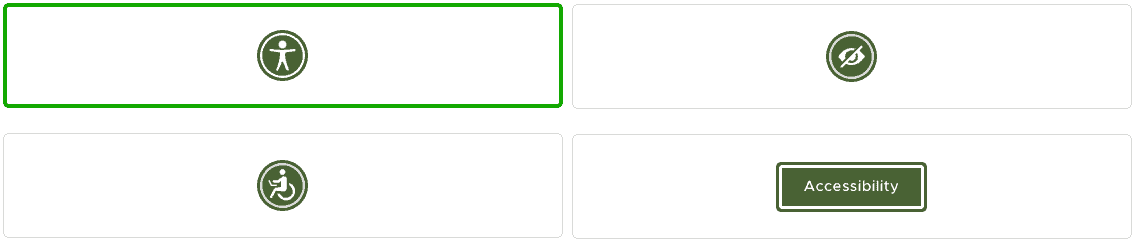
- Change the button type (stick person, person in a wheelchair, eye, or the word ‘Accessibility’)
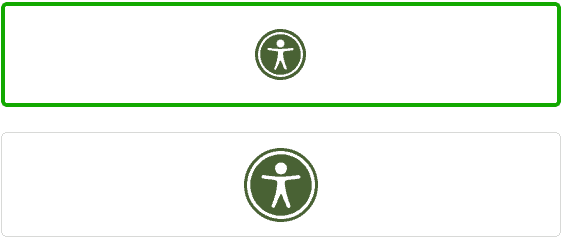
- Change the button size (small or large)
- Change the button location (bottom left/right, centre left/right, top left/right)
- Have individual button location settings for desktop and mobile
- Add a link to your accessibility statement with some customer wording
Examples of icon choices:
Examples of small and large (this website uses a small circle):
Terms and Conditions
GOV.UK will always have the clearest version and the benchmark by which many follow: Terms and Conditions
You might want to link it to your Code of Conduct, Privacy/GDPR, Contact, and Cookie pages.
Code of Conduct
A Code of Conduct outlines acceptable behaviour, helping users understand what is and isn’t allowed on the website and Moodle. It shows that you are committed to maintaining a positive, inclusive, and professional environment, which can attract more users.
It might provide some legal protection for you by making users aware of the rules and consequences of breaking them.
For websites linked to Moodle:
- Align with Educational Standards: A Code of Conduct supports the educational nature of Moodle by ensuring that interactions are respectful and conducive to learning.
- Protects Students and Educators: In Moodle-linked environments, the Code of Conduct helps maintain a professional atmosphere, ensuring that students and educators can interact without fear of inappropriate behaviour.
- Facilitates Collaboration: By promoting a positive and respectful atmosphere, it ensures smoother collaboration on projects, discussions, and activities within the Moodle platform.
We think Ethisphere’s page about the code of conduct has good information about tone, content, and examples.
Mission Statement
An example Core Purpose and Vision from Gov.UK
Yours should answer 4 things:
- What do we do?
- How do we do it?
- Whom do we do it for?
- What value are we bringing?
FAQ page
Links to 25 Of The Best Examples Of FAQ Pages
About
Links to 25 Awesome About Us Page Examples
Who’s Who or Team page
Mailchimp has some thoughts on Meet the Team pages
Try inspiration from “15 of the Most Creative Meet the Team Page Examples We Love“
Contact and/or Support page
Sometimes contact and support are two, discrete pages, but this is up to you.
“45 Best Contact Us Pages You’ll Want to Copy” (which has templates)
and have a look at the advice on the Support page on Helpscout and the support page on Hubspot
Register and Welcome
If your site requires users to sign up, then you’ll probably have a form for them to fill in to create a profile. You can have a small amount of text above the form to explain what to do, and some text below the form to provide links to associated pages.
Once a user has signed up, we can redirect them from the register page to a welcome page and this is an ideal place to inform people how to use the site.
What should I know?
Add calendar reminders to review/update pages regularly.
Throughout your site, you’re looking to provide links (via hyperlinks, buttons, etc) to pages with associated content, so consider linking your ‘Welcome’ page to the ‘About’ and ‘FAQ’ pages.
A good network of links increases site usability, helps accessibility, and increases SEO. You can review how users flow through your site using analytics.
Please note that we are not responsible for external links. This page was checked for broken links in November 2024. If you found a broken link or feel that more accurate information should be included here, please contact us with the URL of this page and the URL of the page you believe we should link to.
Other pages you might find useful: